25 Gemini AI Prompts That Create Truly Professional‑Quality Headshots

25 Gemini AI Prompts That Create Truly Professional‑Quality Headshots

4 months ago Hunzala Asif Business, People

Ready to upgrade your professional image? Gemini AI can now generate stunning headshots. These tools save you time and money. Moreover, they deliver truly professional results.

Professional Studio Headshot with Soft Key Light and Clean Background

Achieve that classic studio look with ease. This prompt focuses on flattering illumination. It creates a timeless, polished image. You’ll get a professional shot every time.

Professional Studio Headshot with Soft Key Light and Clean Background

Prompt #1

Generate a professional headshot. The subject should be well-lit with a soft key light. Use a clean, neutral gray background. The focus is sharp on the face. Style: studio photography, elegant, clean, high-resolution.

Corporate Headshot with Natural Skin Tones and Sharp Focus

Need a reliable image for your business profile? This prompt emphasizes authenticity. It ensures natural skin tones. Furthermore, every detail remains incredibly sharp. Present your best, most genuine self.

Corporate Headshot with Natural Skin Tones and Sharp Focus

Prompt #2

Create a corporate headshot. Feature natural skin tones and sharp focus on the eyes. The lighting should be even and flattering. Use a subtle, professional background. Style: business portrait, realistic, crisp, professional.

High‑End Professional Headshot with DSLR Camera Look

Want that premium, expensive camera feel? This prompt mimics a DSLR aesthetic. It captures depth and rich detail. You’ll get a high-quality image. Impress with a sophisticated visual.

High‑End Professional Headshot with DSLR Camera Look

Prompt #3

Generate a high-end professional headshot. Emulate a DSLR camera look. Include shallow depth of field and beautiful bokeh. The subject is perfectly lit. Style: professional photography, cinematic, high-resolution, detailed.

LinkedIn‑Ready Headshot with Balanced Lighting and Neutral Colors

Your LinkedIn profile needs to shine. This prompt ensures balanced lighting. It uses neutral colors. Therefore, your image will be professional and approachable. Make a strong first impression online.

LinkedIn‑Ready Headshot with Balanced Lighting and Neutral Colors

Prompt #4

Create a LinkedIn-ready headshot. Use balanced, soft lighting. Maintain neutral color grading. The background should be simple and unobtrusive. Focus on a friendly, confident expression. Style: corporate profile, clean, professional.

Studio‑Style Headshot with Soft Shadows and Clean Composition

Achieve a polished studio portrait effortlessly. This prompt generates soft, subtle shadows. It ensures a clean, balanced composition. The result is a refined and professional image. Showcase your best angle.

Studio‑Style Headshot with Soft Shadows and Clean Composition

Prompt #5

Generate a studio-style headshot. Incorporate soft, diffused shadows. Ensure a clean, classic composition. The subject is centered or slightly off-center. Use professional studio lighting. Style: portrait photography, artistic, balanced.

Executive Headshot with Confident Expression and Blurred Background

Project authority and leadership. This prompt focuses on a confident expression. It uses a tastefully blurred background. Therefore, the subject truly stands out. Command attention with your image.

Executive Headshot with Confident Expression and Blurred Background

Prompt #6

Create an executive headshot. The subject should have a confident, approachable expression. Use a shallow depth of field for a blurred background. Lighting is strong yet flattering. Style: leadership portrait, impactful, sharp focus.

Photorealistic Headshot with Accurate Facial Details

Experience truly lifelike results. This prompt prioritizes photorealism. It renders accurate facial details. You’ll see genuine skin texture and subtle expressions. Get an image that looks incredibly real.

Photorealistic Headshot with Accurate Facial Details

Prompt #7

Generate a photorealistic headshot. Ensure accurate facial details, including skin texture and subtle wrinkles. Lighting should be natural and even. Capture a genuine, relaxed expression. Style: hyperrealism, detailed, authentic.

Professional Headshot with Window‑Light Effect

Embrace the beauty of natural light. This prompt simulates a window-light effect. It creates soft, flattering illumination. The result is warm and inviting. Enjoy a natural, sophisticated look.

Professional Headshot with Window‑Light Effect

Prompt #8

Create a professional headshot. Simulate soft, diffused window light. The subject is looking towards the light source. Background is slightly out of focus. Style: natural light portrait, warm, inviting, soft.

Business Portrait Headshot with Minimal Retouching

Showcase your authentic self. This prompt focuses on minimal retouching. It enhances without over-processing. You get a genuine, trustworthy image. Present a true and honest portrayal.

Business Portrait Headshot with Minimal Retouching

Prompt #9

Generate a business portrait headshot. Apply minimal retouching for a natural look. Focus on clarity and true skin texture. Lighting should be professional and even. Style: authentic portrait, realistic, unedited feel.

High‑Resolution Headshot with Natural Depth of Field

Demand superior image quality. This prompt delivers high resolution. It includes a natural depth of field. The subject pops against a gentle blur. Expect crispness and professional clarity.
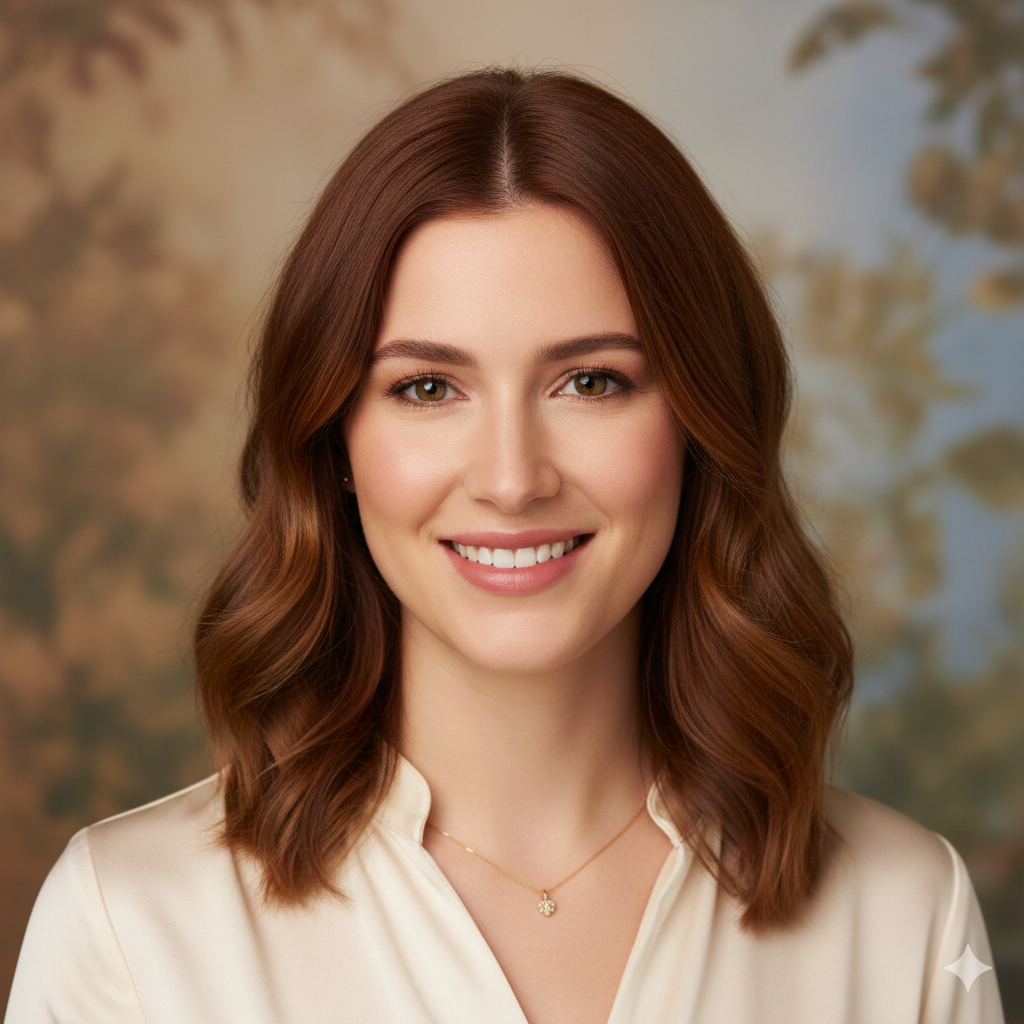
High‑Resolution Headshot with Natural Depth of Field

Prompt #10

Create a high-resolution headshot. Feature a natural depth of field. The subject is in sharp focus. The background is softly blurred. Use studio-quality lighting. Style: premium portrait, detailed, clear.

Clean White Background Professional Headshot

For ultimate versatility, choose a white background. This prompt ensures a pristine, clean backdrop. It makes your subject stand out. The image is modern and adaptable. Perfect for any professional use.

Clean White Background Professional Headshot

Prompt #11

Generate a professional headshot. Use a pure, clean white background. The subject is well-lit and in sharp focus. Ensure no harsh shadows. Style: modern corporate, crisp, minimalist.

Corporate Branding Headshot with Modern Look

Align your image with modern corporate aesthetics. This prompt creates a contemporary look. It fits perfectly with current branding trends. Project a forward-thinking professional image. Stay current and relevant.
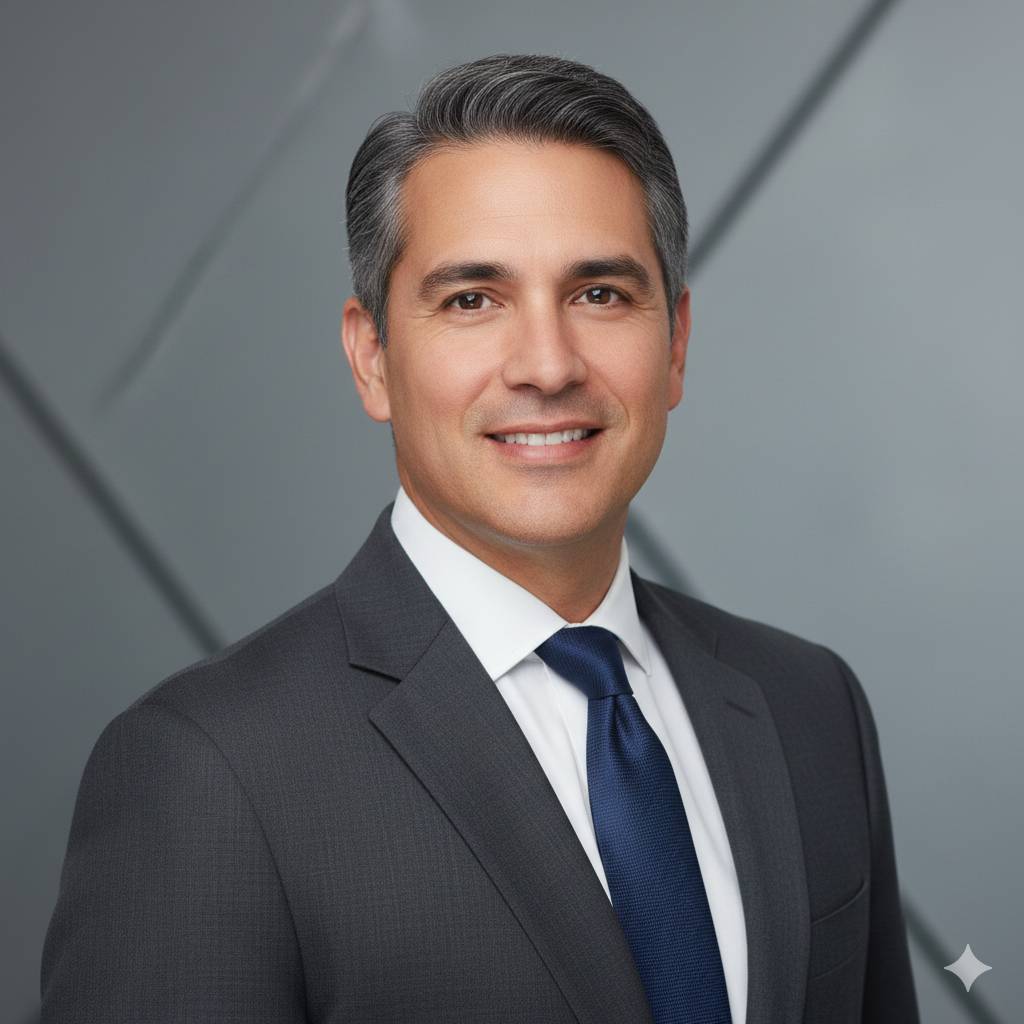
Corporate Branding Headshot with Modern Look

Prompt #12

Create a corporate branding headshot. Incorporate a modern, sleek aesthetic. Use clean lines and a professional, subtly textured background. Lighting is contemporary and even. Style: modern business, sophisticated, clean.

Studio Portrait Headshot with Even Lighting

Achieve flawless illumination for your portrait. This prompt focuses on perfectly even lighting. It eliminates harsh shadows. Every feature is beautifully highlighted. The result is consistently flattering.

Studio Portrait Headshot with Even Lighting

Prompt #13

Generate a studio portrait headshot. Ensure perfectly even, soft lighting across the face. Use a classic studio backdrop. The subject has a pleasant, professional expression. Style: classic portraiture, balanced light.

Professional Headshot with Calm and Confident Pose

Body language speaks volumes. This prompt captures a calm, confident pose. It conveys professionalism and assurance. Your image will exude quiet strength. Project composure and capability.

Professional Headshot with Calm and Confident Pose

Prompt #14

Create a professional headshot. The subject is in a calm, confident pose. Maintain good posture and a subtle smile. Use soft, flattering lighting. Background is simple and non-distracting. Style: confident portrait, composed, professional.

Real‑Life Camera Style Headshot with Sharp Details

Craving an authentic, unposed feel? This prompt simulates a real-life camera style. It delivers incredibly sharp details. The image feels genuine and immediate. Get a headshot with a natural edge.

Real‑Life Camera Style Headshot with Sharp Details

Prompt #15

Generate a headshot with a real-life camera style. Emphasize sharp details and clarity. The subject should have a natural, candid expression. Use ambient light simulation. Style: documentary portrait, crisp, authentic.

Minimalist Professional Headshot with Neutral Expression

Embrace simplicity and elegance. This prompt creates a minimalist headshot. It features a neutral, composed expression. The focus remains purely on the subject. Achieve a clean, sophisticated look.

Minimalist Professional Headshot with Neutral Expression

Prompt #16

Create a minimalist professional headshot. The subject has a neutral, calm expression. Use a plain, light-colored background. Lighting is soft and even. Style: modern minimalist, understated, clean.

Office‑Style Headshot with Soft Background Blur

Place yourself in a professional setting. This prompt generates an office-style background. It applies a soft, pleasing blur. The context is clear yet subtle. Perfect for a business environment.

Office‑Style Headshot with Soft Background Blur

Prompt #17

Generate an office-style headshot. Feature a professional office background with a soft blur. The subject is well-lit. Maintain a business-appropriate expression. Style: corporate setting, professional, soft focus.

High‑Detail Professional Headshot for Profiles

Ensure your profile picture truly stands out. This prompt focuses on high detail. It optimizes for clarity on smaller screens. Every feature is crisp and visible. Make an impactful online statement.

High‑Detail Professional Headshot for Profiles

Prompt #18

Create a high-detail professional headshot. Optimized for online profiles. Ensure sharp focus on facial features. Use bright, clear lighting. The background should be simple and unobtrusive. Style: profile picture, crisp, high clarity.

Natural‑Looking Professional Headshot with True Skin Texture

Celebrate genuine beauty with this prompt. It prioritizes a natural look. You’ll see true skin texture, not artificial smoothness. The image feels authentic and real. Present yourself as you truly are.

Natural‑Looking Professional Headshot with True Skin Texture

Prompt #19

Generate a natural-looking professional headshot. Emphasize true skin texture and realistic details. Lighting should be soft and natural. Capture a relaxed, genuine expression. Style: authentic portrait, unretouched feel.

Clean Composition Headshot with Centered Face

For a strong, direct presence, choose this composition. This prompt centers the face. It creates a balanced and powerful image. Your gaze will connect directly with the viewer. Command attention with clear focus.

Clean Composition Headshot with Centered Face

Prompt #20

Create a clean composition headshot. The subject’s face is perfectly centered in the frame. Use even, professional lighting. The background is simple and uniform. Style: direct portrait, balanced, strong presence.

Executive Portrait Headshot with Studio Finish

Elevate your executive presence. This prompt provides a polished studio finish. It combines professional lighting with refined details. The result is authoritative and sophisticated. Project a high-level image.
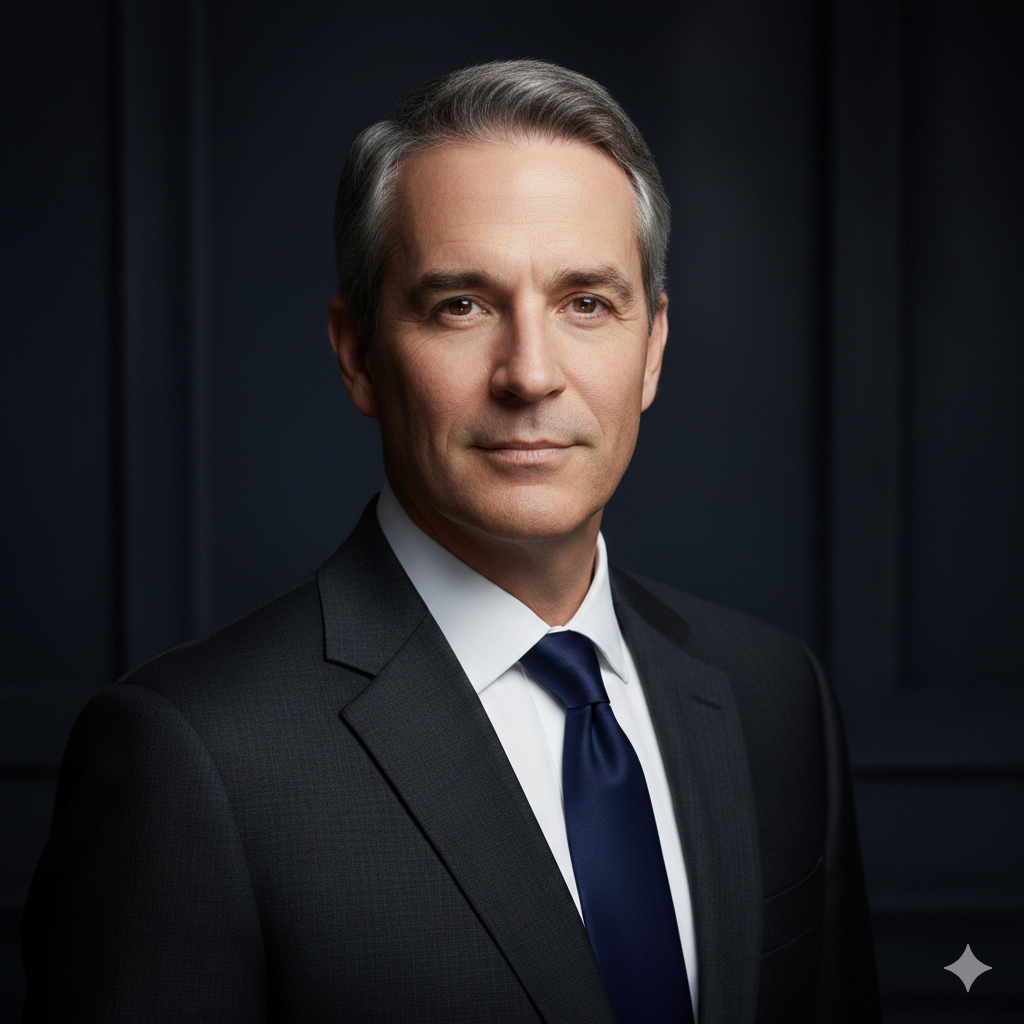
Executive Portrait Headshot with Studio Finish

Prompt #21

Generate an executive portrait headshot. Apply a high-end studio finish. Use dramatic yet flattering lighting. The subject has a confident, serious expression. Background is dark and sophisticated. Style: premium executive, polished, powerful.

Professional Headshot with Balanced Color Grading

Achieve a harmonious and pleasing aesthetic. This prompt focuses on balanced color grading. It ensures natural skin tones and appealing hues. The overall image feels cohesive. Present a visually stunning portrait.

25 Gemini AI Prompts That Create Truly Professional‑Quality Headshots

Prompt #22

Create a professional headshot. Incorporate balanced color grading. Ensure natural skin tones and a consistent palette. Lighting is soft and even. Background colors complement the subject. Style: artistic portrait, harmonious, refined.

Premium Quality Headshot with Realistic Lighting

Experience the pinnacle of AI-generated quality. This prompt delivers premium results. It features incredibly realistic lighting. Shadows and highlights are perfectly rendered. Get an image that rivals professional photography.

Premium Quality Headshot with Realistic Lighting

Prompt #23

Generate a premium quality headshot. Use highly realistic, nuanced lighting. Emphasize natural shadows and highlights. The subject is sharply detailed. Background provides subtle depth. Style: hyperrealistic photography, high-fidelity.

Trending Gemini AI Prompt for Professional Headshots

Stay ahead with the latest AI trends. This prompt incorporates popular visual styles. It creates a modern, impactful headshot. Your image will look current and fresh. Be at the forefront of digital aesthetics.

Trending Gemini AI Prompt for Professional Headshots

Prompt #24

Create a trending professional headshot. Incorporate popular aesthetic elements from current AI art. Use dynamic lighting and a contemporary background. The subject has a stylish, confident look. Style: modern AI art, trending, sophisticated.

Copy‑Paste Gemini Prompt for Professional‑Quality Headshots

Here’s your ultimate shortcut to success. This prompt is comprehensive and ready-to-use. Simply copy, paste, and generate. Get professional-quality headshots instantly. It’s the easiest way to elevate your image.
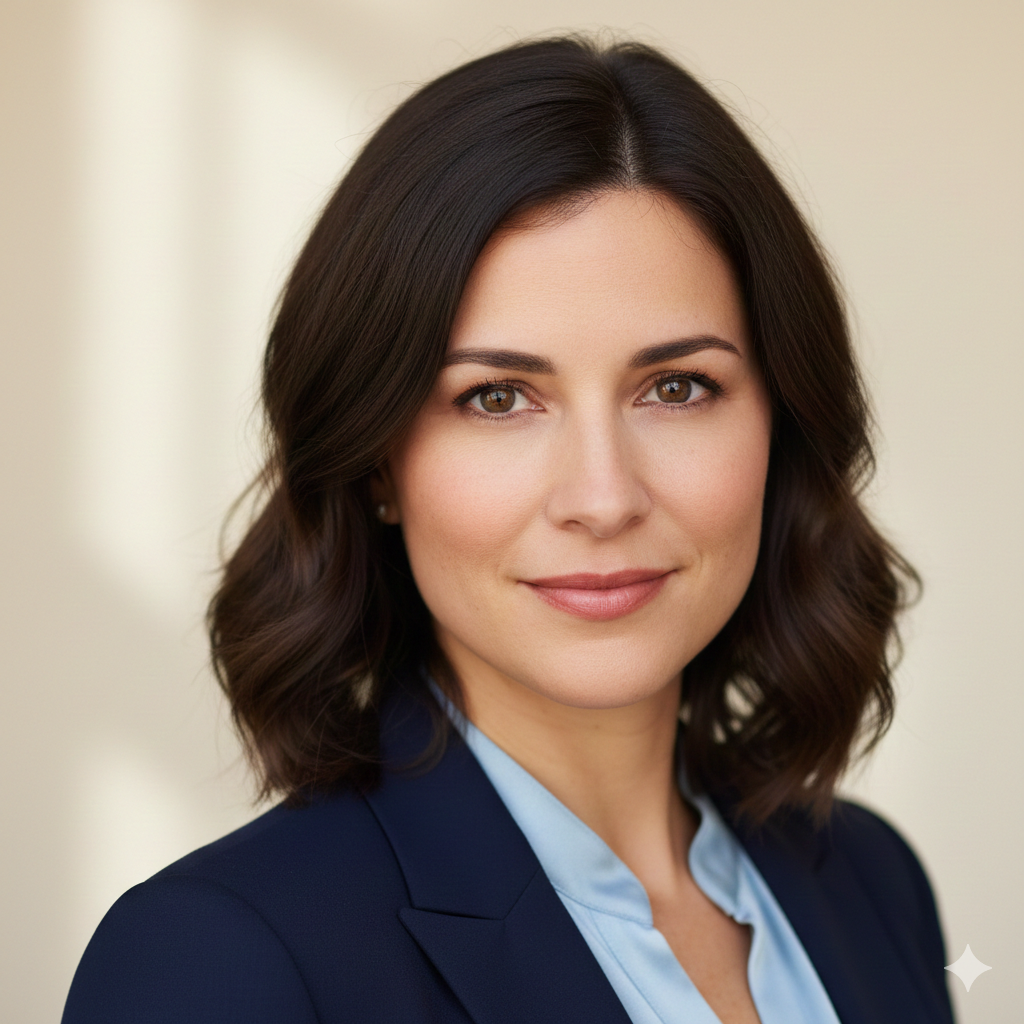

Copy‑Paste Gemini Prompt for Professional‑Quality Headshots

Prompt #25

Generate a professional-quality headshot. The subject should be well-lit with soft, even studio lighting. Use a clean, neutral background with a subtle blur. Focus is sharp on the face, capturing a confident and approachable expression. Ensure natural skin tones and high resolution. Style: commercial portrait photography, realistic, polished, ready for professional use.

Share this post

Help others discover useful Gemini image prompts

Related Posts